Products
05 SystemsSoftware we have already built, ready for your business.
These are working systems, not proposals. Each one is licensed and configured around how you already work — your branches, your items, your fee structure, your menu — so you start from something that runs rather than something that has to be built first.
Business Management
01DotPro ERP
For trading, distribution and manufacturing businesses running more than one branch.
A whole back office in one system, with every branch posting to the same ledger.
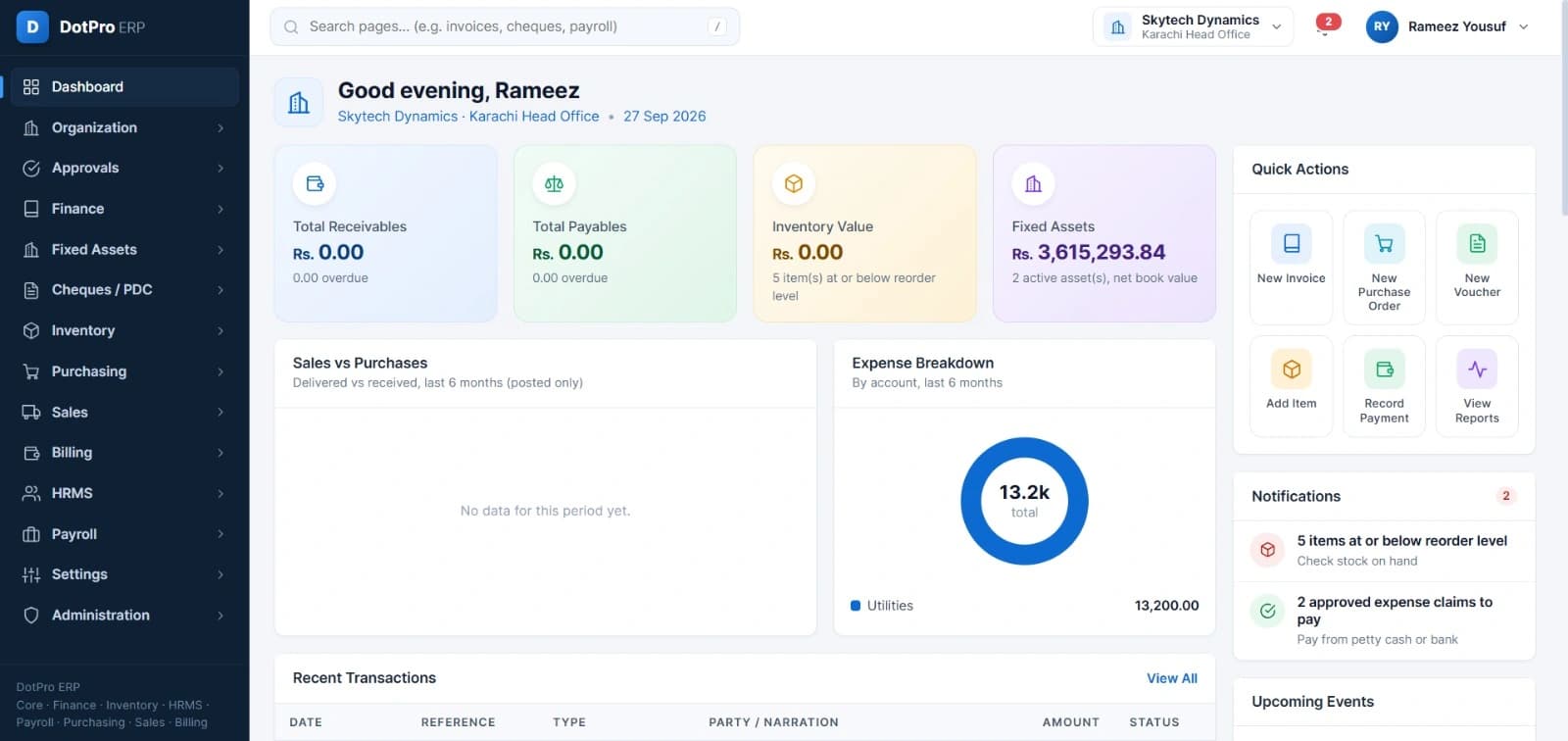
Most businesses run their money in one place, their stock in another and their people in a third, then spend the month reconciling the three. DotPro ERP puts them in one system, so a purchase order, the goods that arrive against it, the bill that follows and the payment that settles it are the same record at four stages of its life.
It is built for how business is actually done here: cheques and post-dated cheques are tracked as first-class instruments, amounts are in rupees, and a group with several branches switches between them without leaving the ledger.
What it does
- Finance — receivables, payables, vouchers and expense accounts
- Cheques and post-dated cheques tracked to clearance
- Inventory with reorder-level alerts on every item
- Purchasing, from purchase order through goods receipt to bill
- Sales and billing against the same item and customer records
- Fixed assets carried at net book value
- HRMS and payroll
- Approval chains before a document takes effect
- Multi-branch, with head office and each location in one view
Education Management
02DotPro School
For schools, colleges and academies handling admissions, fees and results.
Runs a school from the first enquiry to the final result sheet.
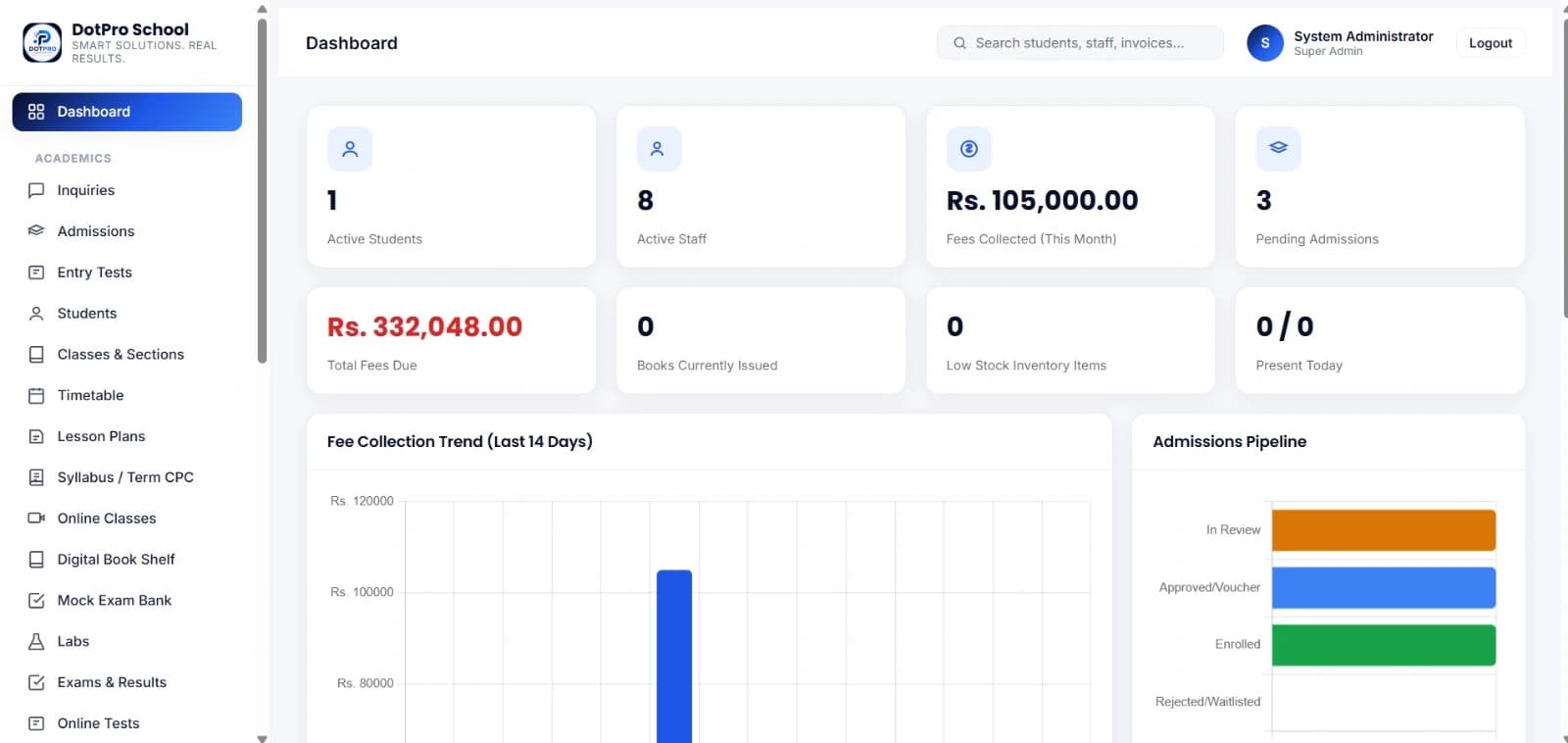
A school's records tend to live in whoever's head or spreadsheet they started in — admissions with one person, fees with another, results with a third. DotPro School holds the whole student record in one place and lets each office work on its own part of it.
The admissions pipeline is the spine: an enquiry becomes an entry test, an entry test becomes an approval and a voucher, and a paid voucher becomes an enrolled student whose fees, attendance, timetable and results all hang off that one record.
What it does
- Admissions pipeline — enquiry, entry test, approval, enrolment
- Student records, classes and sections
- Fee collection, with outstanding dues visible at all times
- Timetable, lesson plans and syllabus tracking
- Exams, results and online tests, with a mock exam bank
- Online classes and a digital book shelf
- Library issue and return, and lab management
- Staff records and daily attendance
Warehouse & Stock Control
03DotPro Inventory
For warehouses and distributors whose stock is tracked by unit, not only by count.
Stock control down to the individual unit — not how many you have, but which ones, and where.
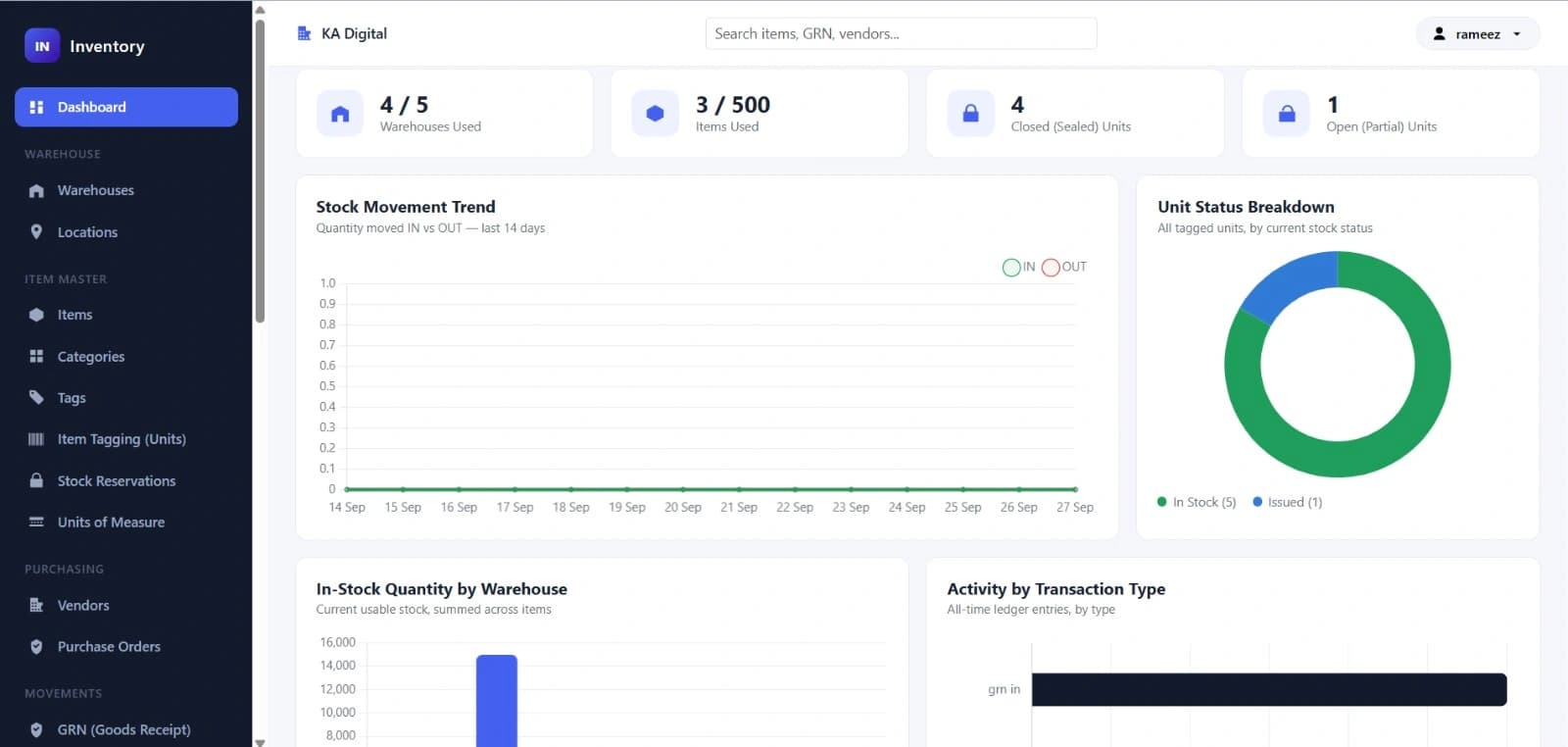
Counting stock by quantity works until the units stop being interchangeable. A sealed drum and one that has been opened are not the same thing, and a system that reports two of an item when one of them is half-used will be wrong at the worst moment.
DotPro Inventory tags units individually. Each one has its own identity, its own location and its own state, so the stock figure and the shelf agree — and a reservation against an order holds a specific unit rather than a number.
What it does
- Several warehouses, each with named storage locations
- Item master with categories, tags and units of measure
- Unit-level tagging — each unit tracked as sealed or part-open
- Stock reservations that hold specific units against an order
- Vendors and purchase orders
- Goods receipt recorded against the order it fulfils
- Every movement in and out kept as a ledger entry
- Transfers between warehouses, and adjustments with a stated reason
Online Learning Portal
04Quran Academy Portal
For online academies teaching one to one across time zones.
A complete online academy — the public site, the plans and the student sign-up.
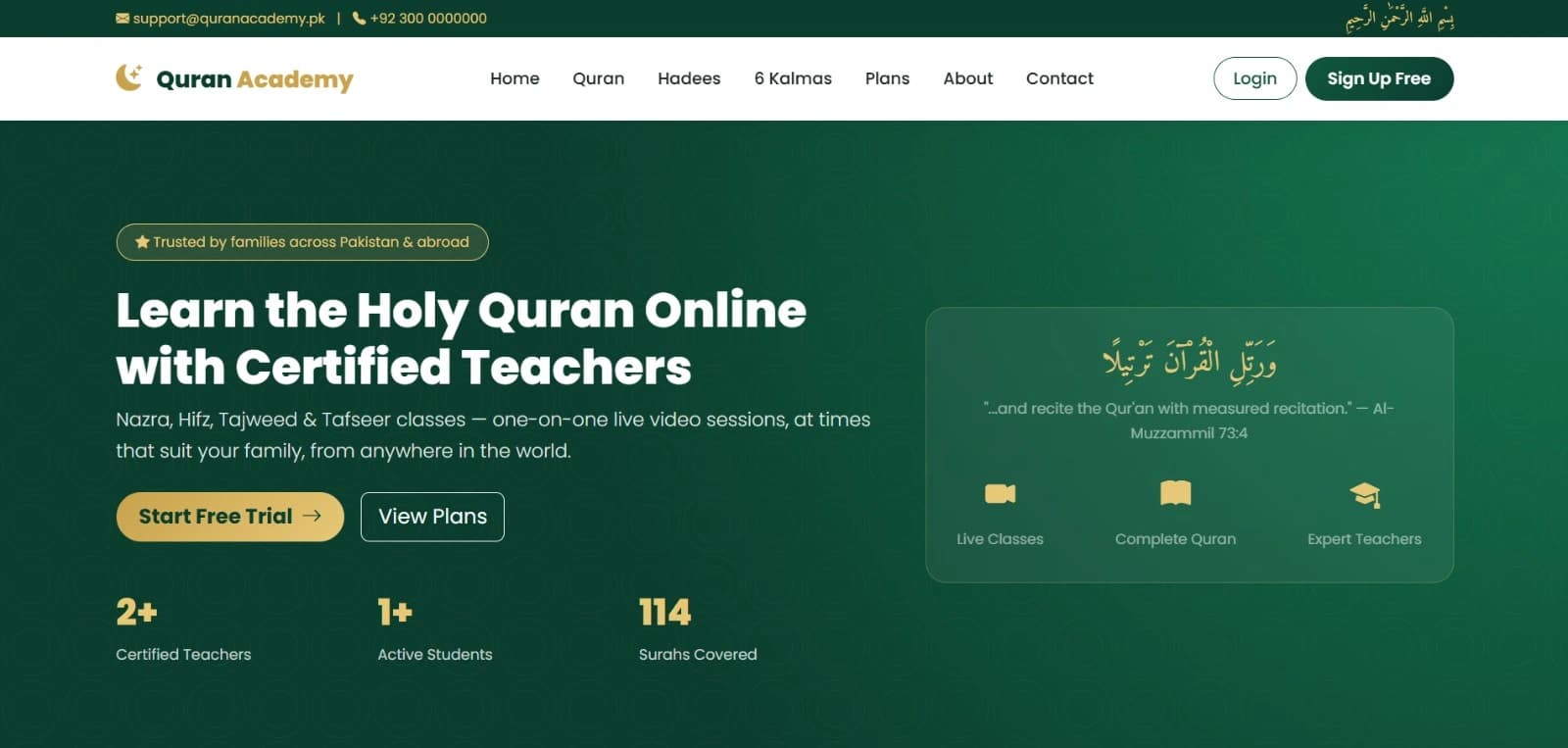
Teaching one-to-one across time zones is a scheduling problem before it is a teaching one. The portal handles the part that happens before the first class: what is taught, what it costs, who is teaching it, and how a family in another country signs up without a phone call.
The public site carries the course structure — Nazra, Hifz, Tajweed and Tafseer — alongside Quran, Hadees and Kalma reference sections, so a visitor can read something useful before deciding whether to enrol.
What it does
- Nazra, Hifz, Tajweed and Tafseer course structures
- One-to-one live video classes
- Plans, pricing and free-trial sign-up
- Student and teacher accounts
- Quran, Hadees and Kalma reference sections
- Scheduling that works across family time zones
- Enquiry and contact routing to the academy
Restaurant Operations
05DotPro POS
For restaurants and cafes running dine-in, takeaway and delivery together.
The floor, the kitchen and the stock room on one screen.
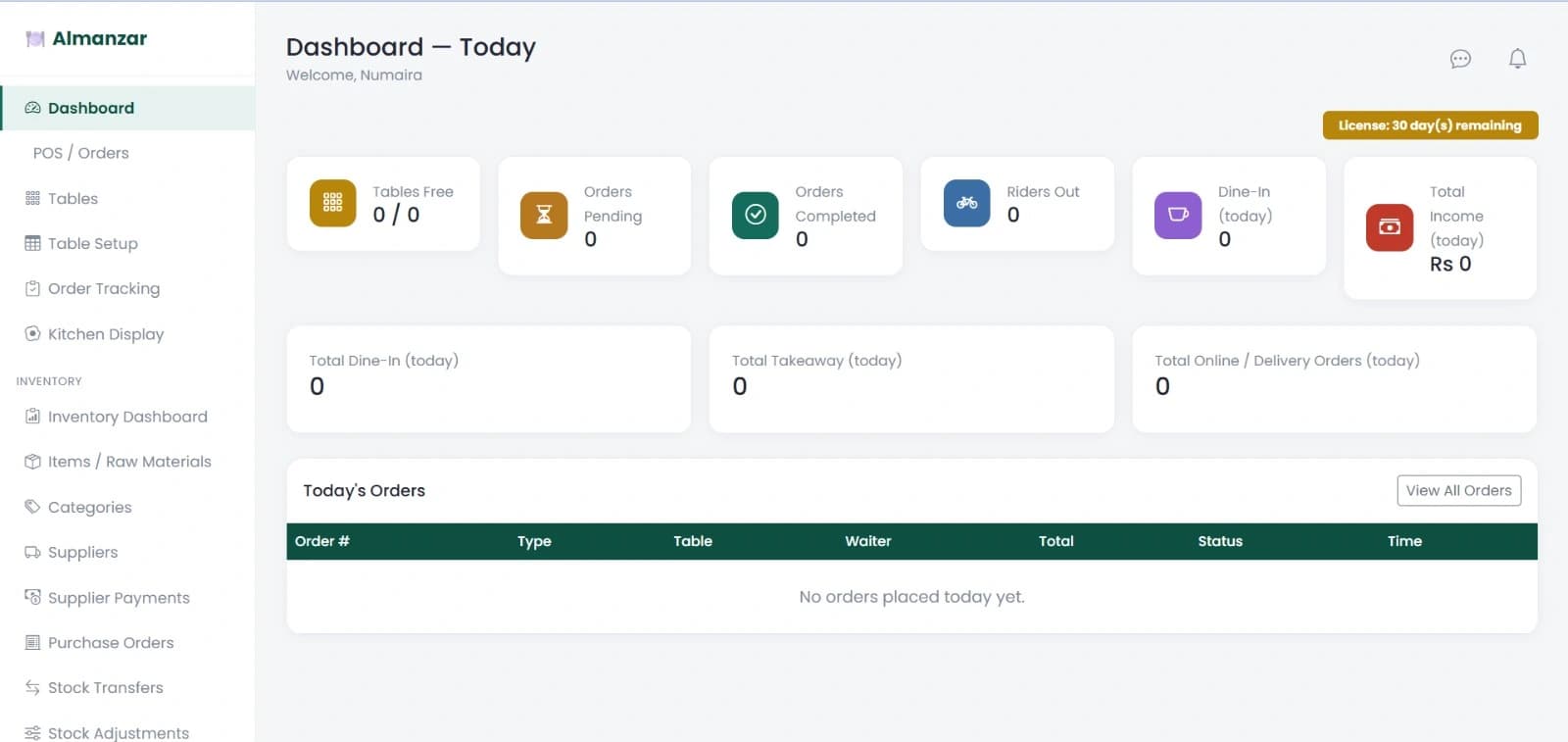
An order taken at a table has to reach the kitchen, come back as food, be paid for, and quietly reduce the flour and oil it consumed. Most restaurants do the first three in one system and the fourth at the end of the month, by counting.
DotPro POS does all four as one movement. Dine-in, takeaway and delivery run through the same order book, the kitchen sees each ticket as it is raised, and raw materials draw down as orders complete — so the day's takings and the day's consumption are two views of the same evening.
What it does
- Point of sale for dine-in, takeaway and delivery
- Table plan with live table status
- Kitchen display, with each order tracked to completion
- Riders assigned to delivery orders
- Raw-material inventory that draws down as orders complete
- Suppliers, purchase orders and supplier payments
- Stock transfers and adjustments
- Takings split by dine-in, takeaway and online
05 Systems, One Conversation
See one running on your own data.
A demo is not a slideshow. Tell us which system interests you and what your business actually does, and we will set it up with your branches, your items and your numbers so you can judge it on something real.